Tools to help you become a better writer (2026 edition)
Boost your productivity in 2026 with these online writing tools.


TLDR: The best tools to become a better writer combine editing software that catches what your eye misses, a platform that keeps you organized and distraction-free, and a publishing tool that gets your work in front of readers. Used together, they cover every stage of the writing process, from the first messy draft to hitting publish.
The writer Jeff Duntemann once said, "A good tool improves the way you work. A great tool improves the way you think." That's still the standard worth holding every piece of software to, especially as more and more of them are powered by generative AI.
The Outwrite team spends a lot of our time writing, so I asked them about their favorite tools across collaboration, publishing, editing and focus. These are the ones they say are worth adding to your stack.
The best writing tools for collaboration
Notion
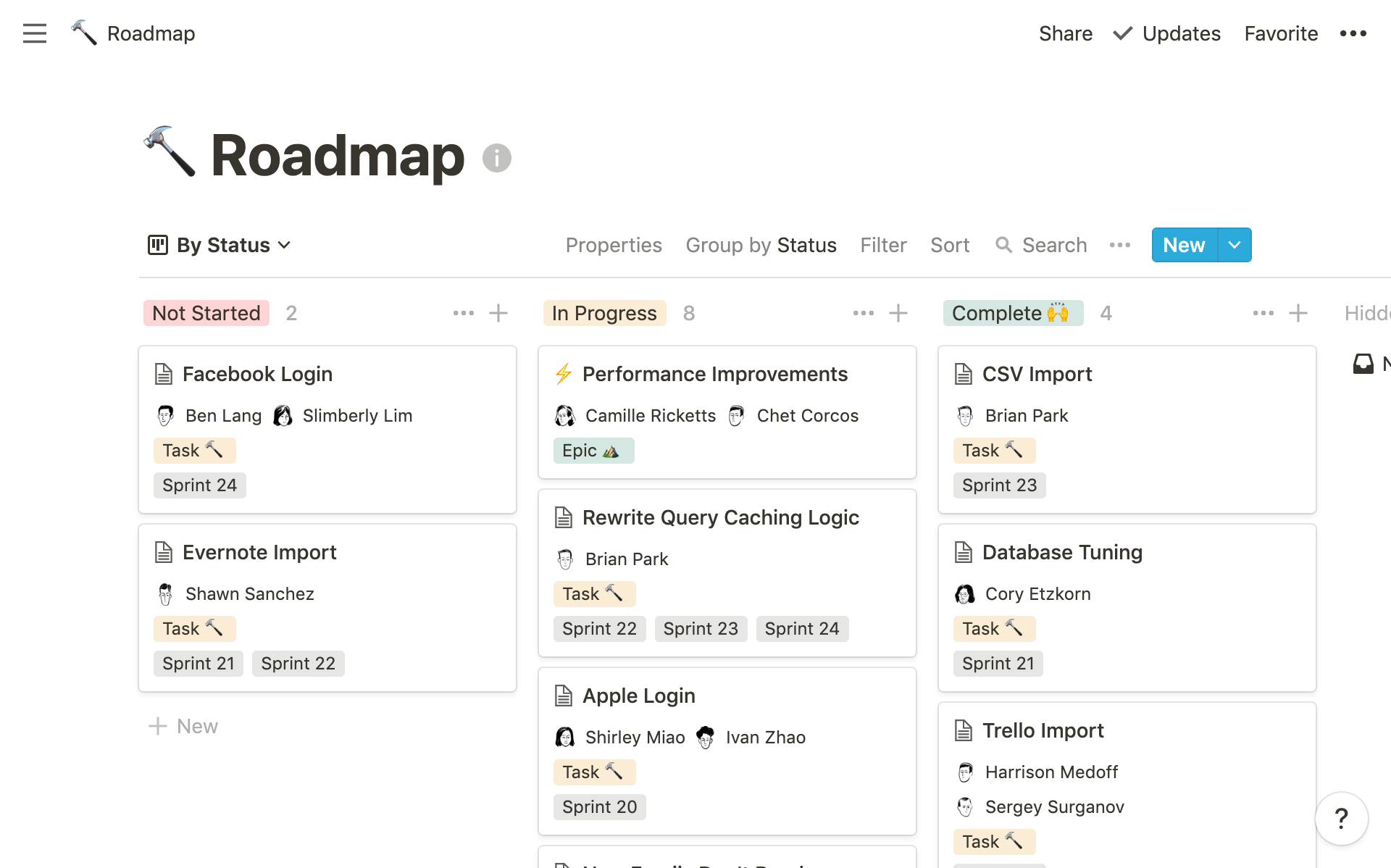
What it does: If you work for a small business, do them a favor and sign up to Notion. The "all-in-one-workplace" is truly that, letting your team do everything from take notes to create product roadmaps. Apart from saving your team a lot of money in subscriptions, it's also easy to use and customize. Just choose a template, add a heading and emoji to the top of the page, then get to work.
Best for: Small teams, freelance writers juggling multiple clients, or anyone who needs their writing projects organized in one place rather than scattered across a dozen tabs.
Pricing: Free for personal use; Plus plan at $10/user/month (billed annually), Business at $20/user/month.
Why it makes you a better writer: Writing is 20% drafting and 80% everything else: research, planning, revision notes, source management. Notion keeps all of that in the same place as your actual drafts, which means less time context-switching and more time thinking clearly about what you're trying to say.
Google Docs
What it does: For those at school or college, Google Docs will make those dreaded group assignments slightly more bearable. All you need is a Google account and a decent Internet connection to collaborate with your classmates in real-time. You can edit essays together, leave comments, and track changes without ever having to meet in person. Most people will choose to start with a plain document, but GDocs does offer a variety of templates if you need to write a business proposal or redo your resume.
Best for: Students working on group projects, writers who share drafts regularly for feedback, and anyone who wants a dead-simple setup with zero cost.
Pricing: Free with a Google account.
Why it makes you a better writer: Feedback is how writers improve, and Google Docs makes it frictionless. The comments and tracked-changes features mean you can get specific, line-level notes from editors, teachers, or peers without ever emailing a document back and forth. Bonus: Outwrite has an add-on just for Google Docs.
Claude by Anthropic
What it does: If you're after an AI collaborator, Claude would be our top pick. It can act as a thoughtful writing collaborator, one who's read your work, understands your project, and can think with you rather than just generate text for you. You can set instructions to apply to all conversations, like telling it to always write in active voice.
Best for: Writers who want a thinking partner at any stage of the process.
Pricing: Free tier available at Claude.ai; Pro plan at $20/month.
Why it makes you a better writer: The writers who get the most out of AI tools are the ones who use it to think more clearly before writing. Asking Claude to "challenge the weakest part of this argument" or "suggest 3 angles on this topic I haven't considered" is a legitimate part of the drafting process, and Claude handles that kind of back-and-forth better than most tools we've tried.
The best writing tools for publication
Ghost
What it does: If you haven't heard of Ghost, you've certainly heard of their customers (Tinder, Mozilla, Buffer, and Outwrite, to name a few). Unlike Wordpress, Ghost is a non-profit organisation that focuses solely on publishing. The platform's minimalist interface makes it perfect for beginners or anyone looking to blog with few distractions.
Best for: Writers who want a clean, professional home for their work and the ability to build a paid newsletter or membership.
Pricing: Starter plan at $15/month (billed annually), Publisher at $29/month, Business at $199/month. Ghost is also fully open-source and free to self-host.
Why it makes you a better writer: The minimalist editor removes every excuse to fiddle with formatting instead of writing.
Substack
What it does: Substack is a newsletter and publishing platform that lets writers go straight to readers' inboxes. They handle all the payment processing if you decide to charge for subscriptions, so you can focus on the writing part.
Best for: Writers who want to build a direct audience without all the fuss of managing a website (like bloggers and journalists).
Pricing: Free to publish. Substack takes a 10% cut if you run paid subscriptions.
Why it makes you a better writer: Nothing sharpens your writing like writing on a schedule for real people who've signed up to read your work. The built-in subscriber base and the network effects of Substack's recommendations feature help new writers find an audience faster than starting from scratch on a standalone site.
The best writing tools for editing
Outwrite
What it does: Outwrite is an AI-powered writing assistant that goes well beyond spell-check. It catches advanced grammar errors (including homophones and confused word pairs), suggests style and structural improvements, converts passive voice to active, and can rewrite sentences entirely to make them clearer and more concise.
Best for: Students, professionals and small teams who want to write more confidently and stop second-guessing every sentence.
Pricing: Free plan includes grammar and spelling checks; Pro plan at $9.95/month adds style suggestions, structural improvements, sentence rewriting, and plagiarism checks.
Why it makes you a better writer: Most grammar tools flag the easy stuff: a missing comma, a repeated word. Outwrite goes further, helping you enhance the flow and overall quality of your writing. And the best part? Outwrite's browser extension supports most of the tools in this article!

The best writing tools for staying focused
Forest
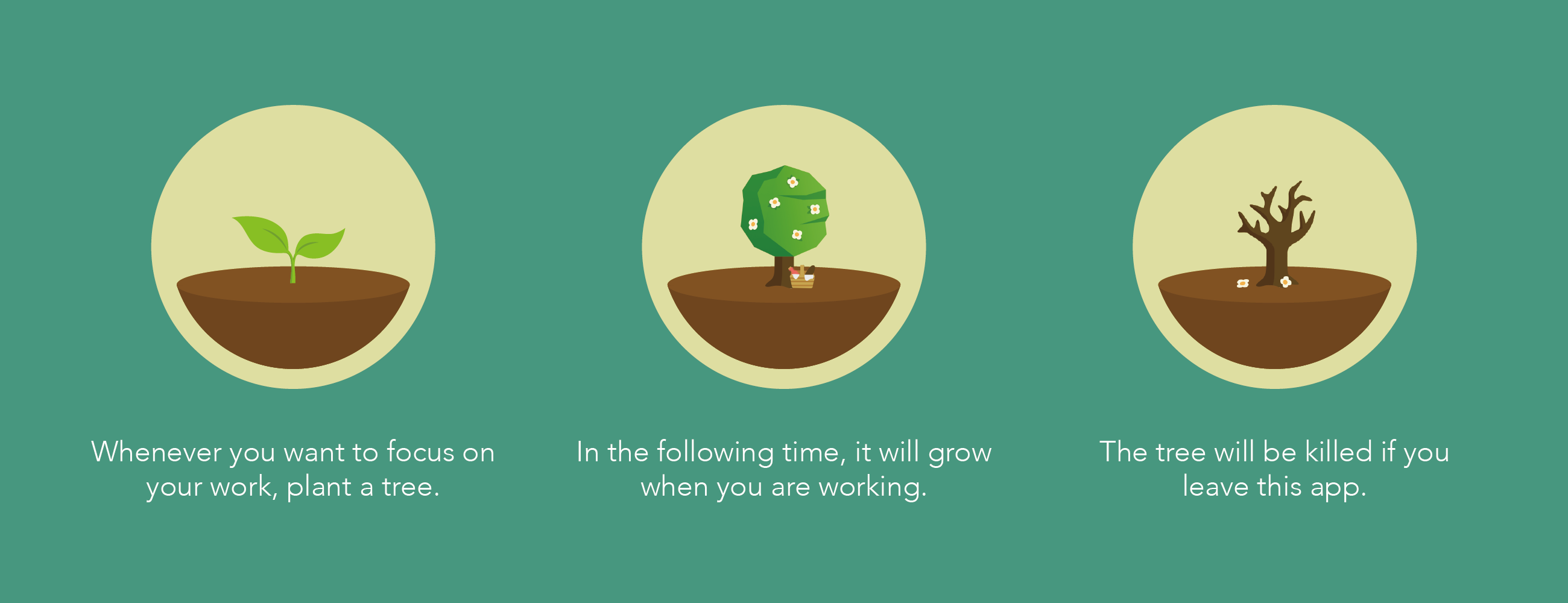
What it does: Mobile phones are great for many reasons, but they're so darn distracting. Forest is a productivity app designed to help you stay focused on the important stuff. The idea is that by keeping the app open for a certain period of time (and not visiting Facebook or Youtube to procrastinate), you can grow a virtual tree and earn rewards. It's a cute, positive take on the Pomodoro technique, with the opportunity to contribute towards planting real trees.
Best for: Writers who struggle with phone distraction or who want a gentle, gamified way to build a focus habit.
Pricing: Free on Android with in-app purchases; $1.99 one-time purchase on iOS.
Why it makes you a better writer: Writing improves with practice, and practice requires showing up. Forest makes it easier to show up for a focused 25-minute session than it is to convince yourself to write "for a bit" with your phone sitting next to you.
Did we miss any?
Hopefully you've discovered at least one promising resource by reading this list. If your favorite online writing tool wasn't featured, share it in the comments section below!
FAQ
What is the best free tool for writers?
The best free tool depends on what stage of writing you're in. For drafting and collaboration, Google Docs is unbeatable at zero cost. For editing, Outwrite's free plan catches grammar and spelling errors across every platform you write on. If you're unsure, start with ChatGPT or Claude's free plan (since they can help you with almost anything)!
Will using AI writing tools make me a lazier writer?
AI tools will only make you a lazy writer if you let them. The best writers stay intentional about what they're outsourcing, using AI for things like brainstorming new angles, or for getting a second opinion on an argument. Don't use it to avoid the thinking.
What are some tips for choosing between AI writing tools?
Start by figuring out where in your process you actually need help, because different tools do genuinely different things. If your problem is generating ideas, a conversational AI like Claude could be a good option. If your problem is tightening and polishing prose you've already written, Outwrite is the better fit.